Shop — Service Management

Define your shop's services once. Use them everywhere.

Services are the foundation of your Wrapstart shop. Set them up here — pricing, time, materials, station assignments — and they flow automatically into every quote, invoice, schedule and AI conversation.

Wrapstart services catalog

Define a service once. Use it everywhere.

One catalog

A single source of truth for every service.

Real margins

Pricing built from labor and material cost.

Into quotes

Services auto-fill every estimate.

Into scheduling

Time and station flow into the calendar.

Into AI

Your AI quotes from real service data.

Into invoicing

Approved services become line items.

What's in a service

Built to match how shops actually work.

01 — Pricing

Fixed price, hourly, or hybrid — your call.

Wrapstart supports flat-fee services, time-based pricing, and hybrid models. Cost basis is captured per service, so margin posts in real time on every job.

  • Base price + cost basis = automatic profit margin
  • Per-vehicle-type pricing tiers (sedan / SUV / truck / oversize)
  • Optional add-ons that surface in quotes & AI conversations
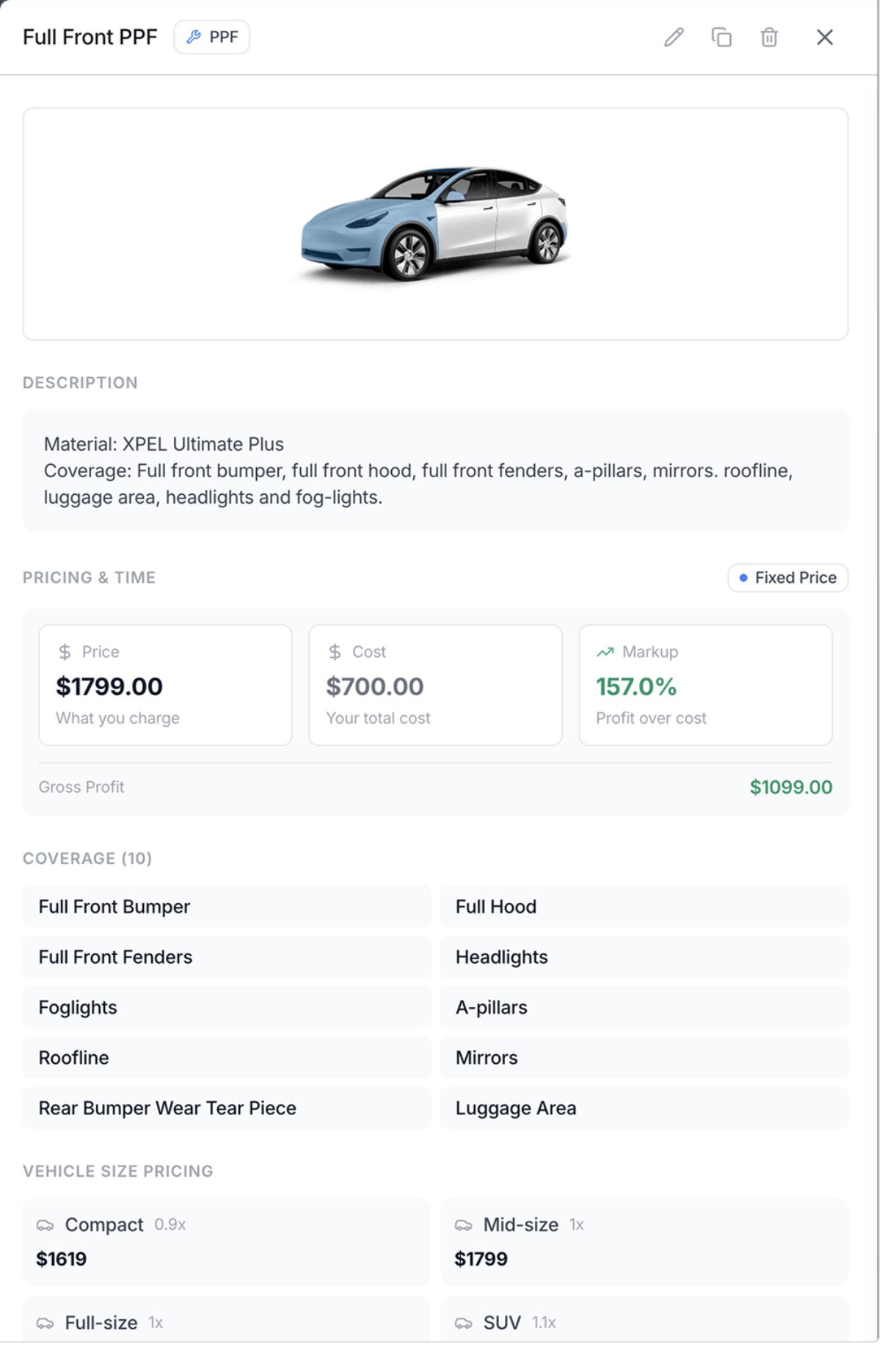
Full Front PPF service detail — description, pricing, markup, coverage and per-vehicle-size pricing
02 — Stations

Map every service to the bays that can handle it.

Some services need a dust-controlled bay. Some need a two-tech setup. Some can run anywhere. Wrapstart lets you specify exactly which stations are qualified for each service — and the scheduler enforces it.

  • Scheduler refuses bookings on unqualified stations
  • AI front-desk only quotes lead times for available bays
  • Per-station capacity feeds into utilization reports
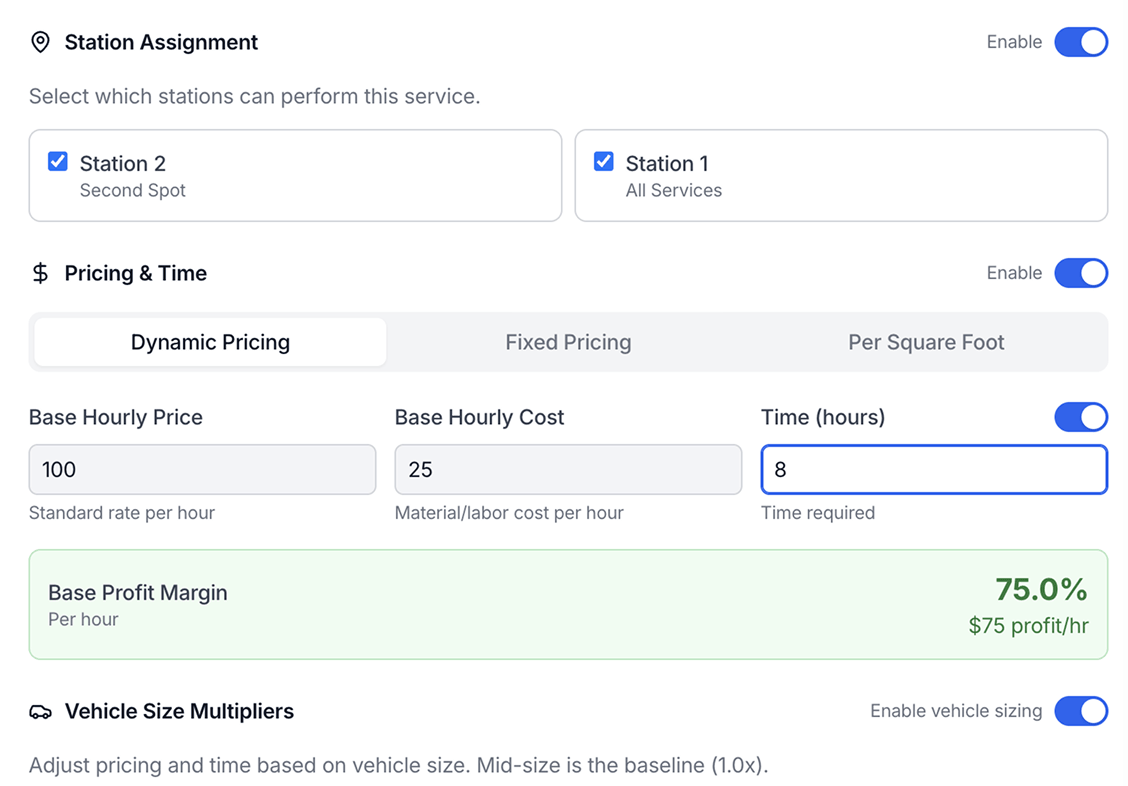
Station assignment and pricing for a service
03 — Fully connected

Every service you offer, built into Wrapstart — and wired to your whole shop.

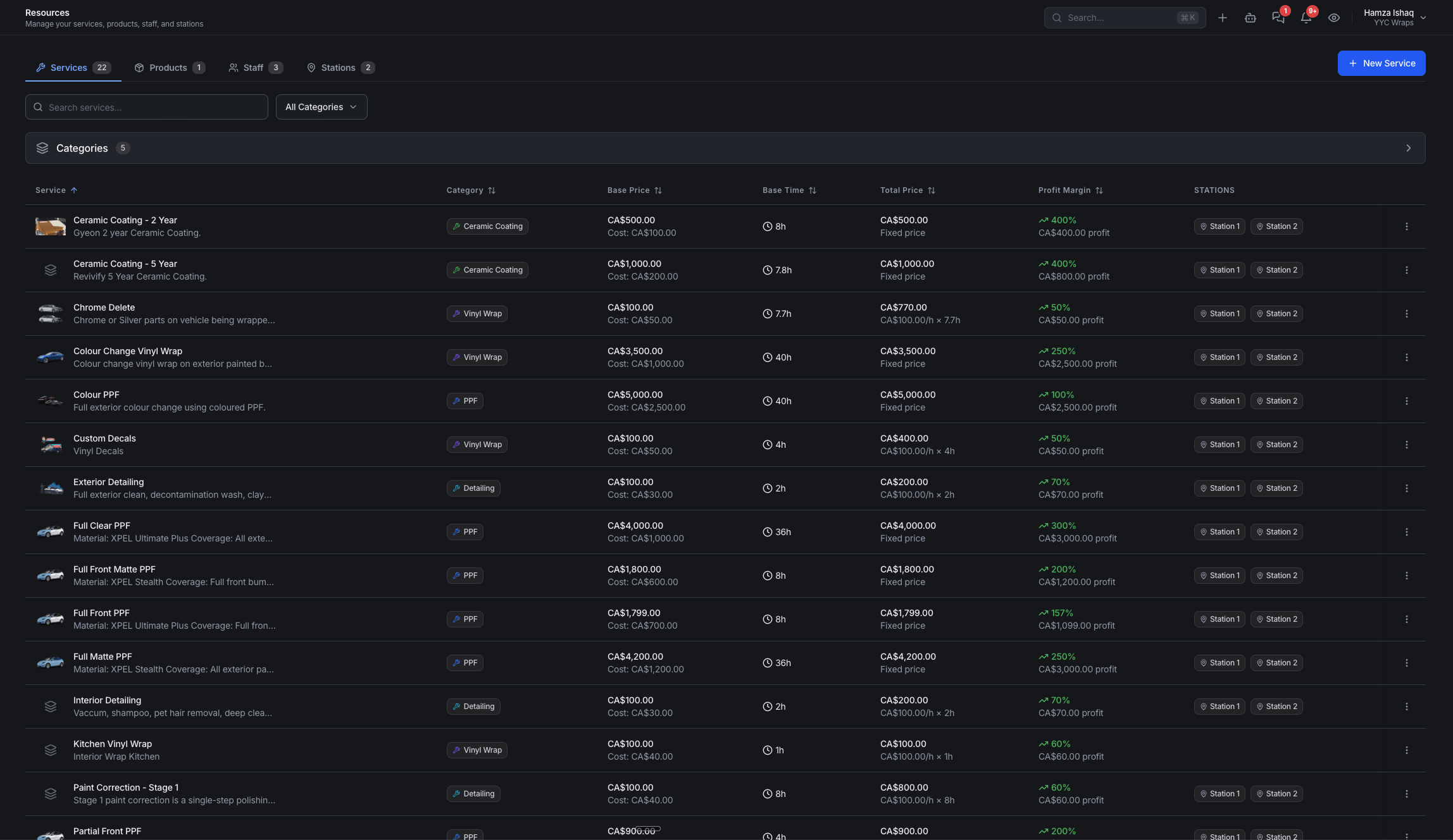
Set up each service once — pricing, time, materials, required staff and products — and Wrapstart treats it as live data, not a static list. That single record flows straight into quotes, invoicing, scheduling, reports and AI, so nothing is ever re-entered and every part of the shop stays in sync.

  • One service definition powers quotes, invoices and online bookings
  • Schedules, jobs and payments all tie back to the same record
  • Reports read live service data — revenue, margin and bay utilization
  • AI quotes, books and upsells from your real services, pricing and stock
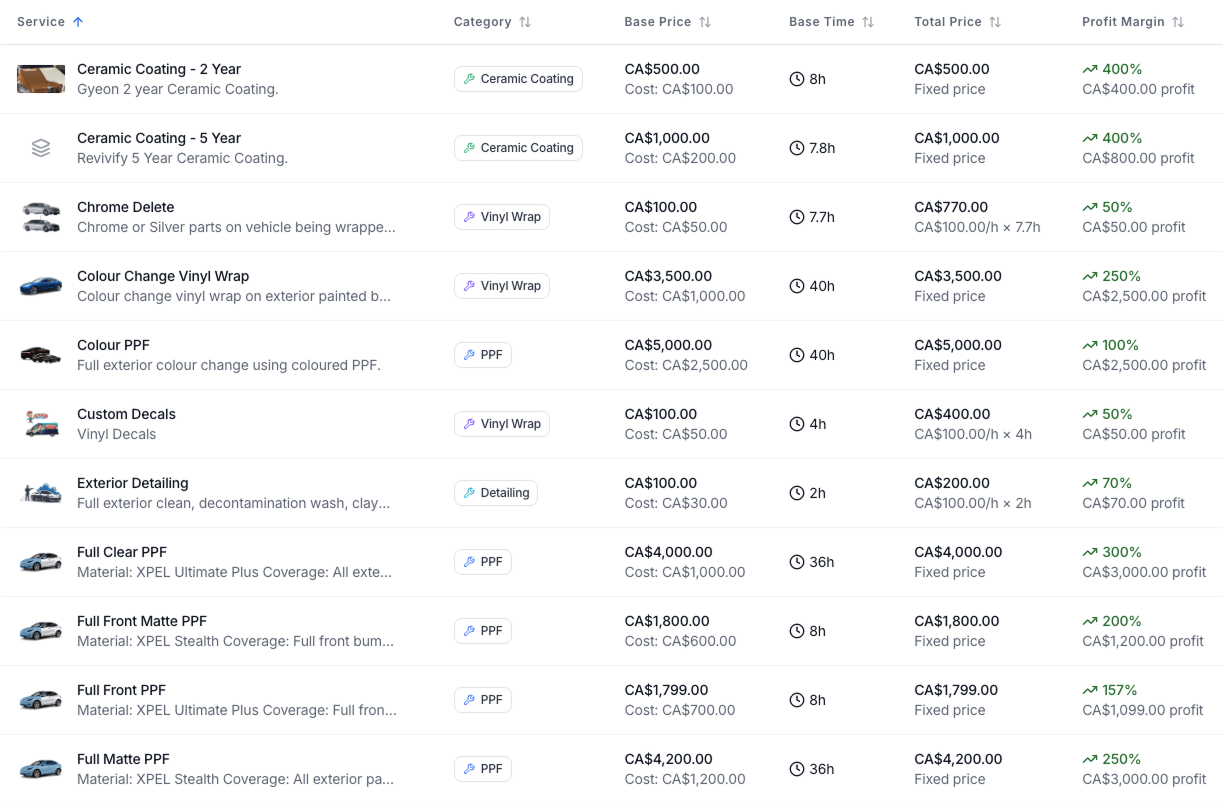
Service list with base price, time, total price and profit margin
Why it matters

Define a service once. Watch it ripple through everything.

Most shops keep their service catalog scattered. Wrapstart makes it the single source of truth — feeding quotes, invoicing, scheduling, AI and your customer portal.

01Quoting

Quotes & Estimates

Service catalog auto-populates the visual estimator. Pricing, time and materials pre-fill. Margin calculated in real time as your reps build the quote.

02Finance

Invoicing

Approved services convert directly to line items. QuickBooks Online sync uses your service codes. Profit margin posts to the dashboard the moment a job closes.

03Operations

Scheduling & Stations

Each service maps to qualified stations and base time. The scheduler refuses to double-book a bay or assign a job to an unqualified station.

04AI

AI Quote Agent

The quoting agent reads your services to draft accurate estimates from a phone call, photo or text — never inventing prices it doesn't have authorization for.

05AI

AI Front Desk

When a customer asks "how much for a full PPF?" the agent answers from your real catalog — including bay availability and lead time per service.

06Customer

Customer Portal

Online booking page lists exactly the services you've enabled, with the prices and lead times you've set. No drift between your shop floor and the web.

AI-native by design

Your service catalog is your AI's job description.

Every Wrapstart AI agent — quote, front desk, follow-up, scheduling — reads from the same service catalog you maintain here. No prompt-engineering. No hallucinations. No quoted prices you never approved.

Wrapstart in dark mode