How do you get more Google reviews? Ask every customer, at the moment of peak delight, with a link that takes one tap — and let a system do the asking so it happens after every job, not just the ones you remember. Referrals ride the same rails: a standard, unembarrassed ask built into your after-care.
When should you ask for a review?
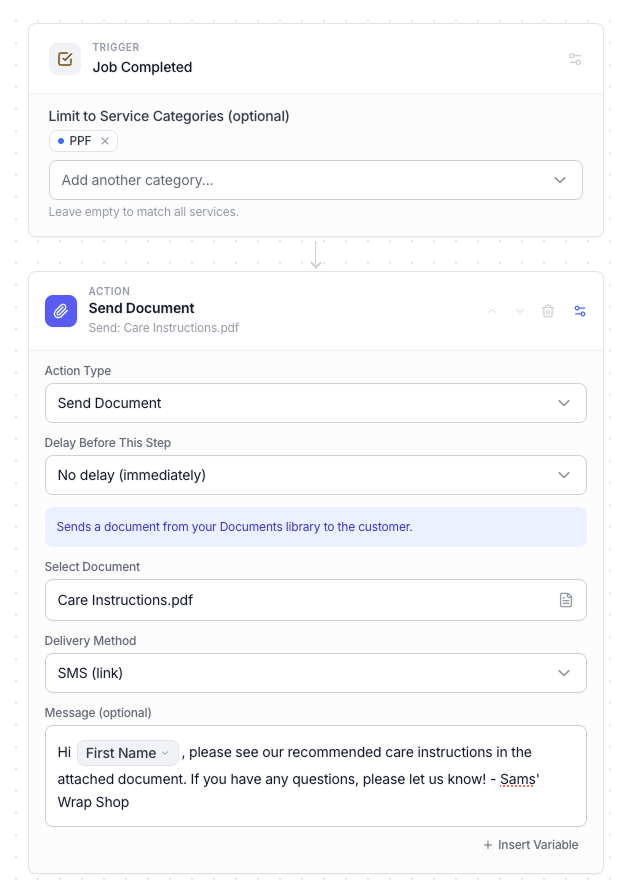
At handover. The customer walking around the car filming it is the most enthusiastic they will ever be — every day after that, delight decays back toward "busy." The ask itself should be effortless: a text with a direct link, sent that day, plus one polite reminder later in the week. Not a speech, not a plaque by the register.
Delight decays. Ask while it’s fresh.
Why automation beats remembering
Busy weeks are exactly when you forget to ask — and busy weeks are when your best work ships. Tie the request to the job hitting "complete" and the ask becomes a property of your process instead of someone’s memory. Every finished car generates its own marketing.
How do referrals become standard?
Once the review lands, the referral ask is natural: a thank-you note with a real reason to share — a care kit, a discount on the next service, whatever fits your shop. The point is not the incentive; it is that the ask happens every time, in writing, when goodwill is at its peak. One great job quietly becomes the next two.
Where does it compound?
On your Google Business Profile. Reviews feed local visibility, recency keeps the profile alive, and replies show you are paying attention — which is why the review pipe should point there first.
Reviews routed straight to your profile.
The Google Business Profile integration sends automated review requests after every job and keeps your hours, services and details current — without leaving Wrapstart.
See the GBP integration →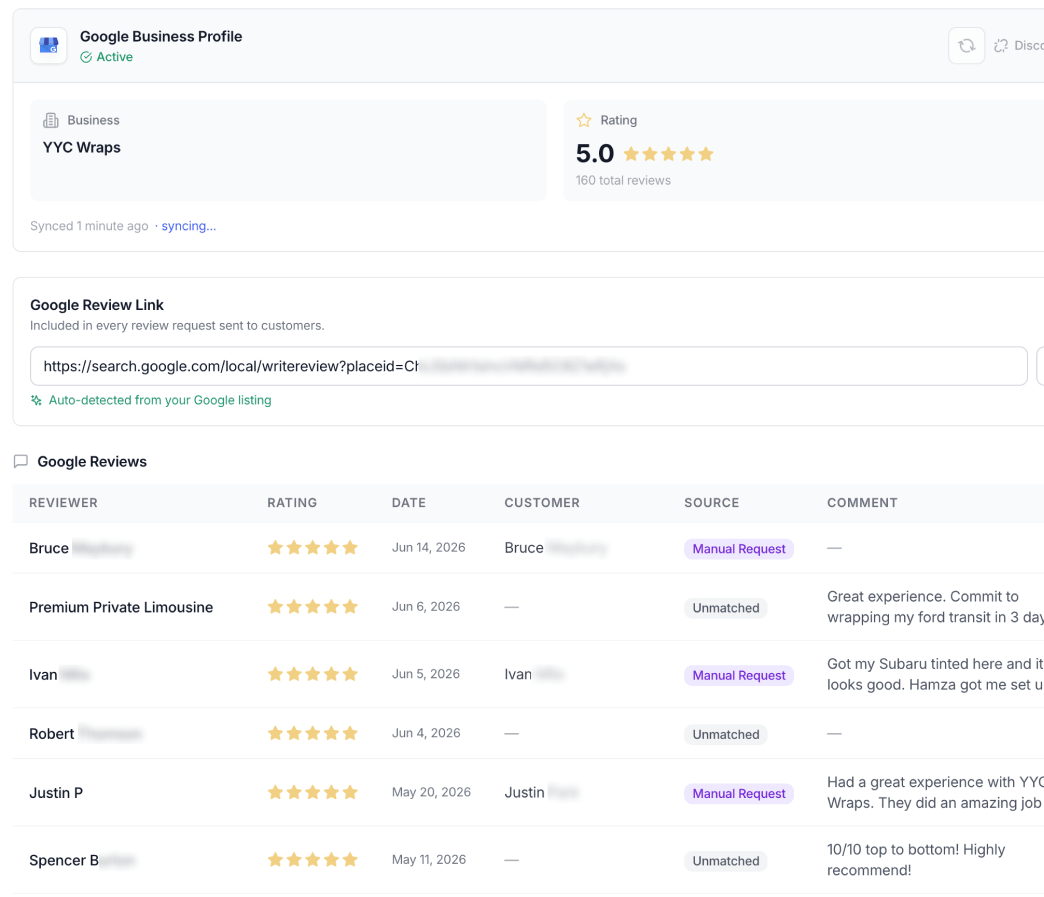
And since every review request and referral note is an email or text from your shop — make sure the signature on it is doing sales work too.